
If you’re a local business owner in Boise, you already know how competitive the market can be. That’s why Boise Google Business Profile optimization isn’t just a suggestion — it’s a must. Done right, it becomes a high-converting digital storefront that attracts, converts, and retains your best local customers.
Let’s break down exactly how to turn your Google Business Profile into a customer magnet.
What Is a Google Business Profile — and Why It’s Crucial in Boise
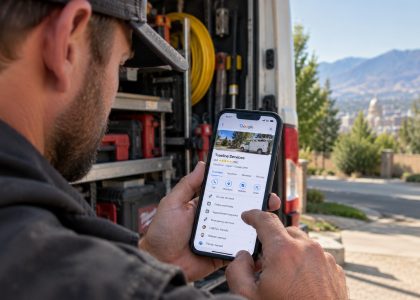
Your Google Business Profile is the box that shows up when someone searches your business or service nearby. It’s what appears in Google Maps, mobile searches, and “near me” queries.
A fully optimized profile:
- Builds instant trust with new customers
- Drives clicks, calls, and in-person visits
- Tells Google you’re active and credible
In short, it’s your first impression — and first impressions convert.
5 Ways to Attract More Customers Using Google Business Profile
Here’s how local businesses in Boise can win more business with just a few tweaks and habits.
1. Post Weekly to Stay Relevant
Think of your profile like a mini social feed. Share:
- Promotions and seasonal offers
- Local event announcements
- Behind-the-scenes team moments
- Customer success stories
Consistency builds credibility. Posting just once a week signals to both Google and customers that you’re active and open for business.
2. Upload High-Quality Visuals
Photos are the most viewed elements on your profile — don’t skip them.
- Add real images: your storefront, team, and customer work
- Use descriptive filenames (e.g.,
boise-hvac-team.jpg) - Shoot in daylight or use pro lighting to stand out
Even better? Add short video clips showcasing your service in action.
3. Collect and Respond to Reviews
Boise buyers are cautious. Reviews make the difference.
- Ask every happy customer to leave a Google review
- Make it easy: email them the direct link
- Respond to every review — even the bad ones — with professionalism
Pro tip: Feature your best reviews on your website or in social media graphics. It’s free trust.
4. Double Check Your Categories and Info
Your business categories and contact info influence where and how you show up.
- Select all relevant categories, not just the primary one
- Make sure your NAP (Name, Address, Phone) is identical across the web
- Don’t forget to add hours, links, and service areas
Accuracy builds Google’s trust — which boosts your visibility.
5. Use Insights to Guide Strategy
Once your profile is humming, check the Insights tab regularly.
You’ll see:
- How customers found you (maps, search, keywords)
- What actions they took (calls, website visits, directions)
- Which posts or photos got the most attention
Use that data to improve. If something’s working — double down.
Want to Rank Locally? Think “Boise” Everywhere
It’s not enough to just say what you do. You need to say where you do it.
Make sure your business description, service areas, and photo tags reference Boise and any nearby neighborhoods you serve. This helps Google match you to more local search intent.
If you’re ready to go even deeper, dial in your Brand Strategy to support your Google visibility.
Final Takeaway
Your Google Business Profile isn’t just a listing. It’s a revenue engine.
Optimize it with strategy. Post consistently. Build reviews. Use data to evolve. If you do this right — you’ll not only rank better, but convert more local customers.
Need help building a system that runs even when you’re not? Contact Us — we’ll show you how to turn one-time traffic into long-term revenue.
FAQs
How often should I post on my Google Business Profile?
Post once per week at minimum. Regular updates help Google rank you higher and show you’re active.
What types of images work best?
Real, high-quality photos of your team, storefront, or work. Rename them with keywords and location tags.
How many business categories should I select?
Choose every relevant category. It helps Google better understand your services and show you to the right audience.
What if I change my address or phone number?
Update your info on Google, your website, and all listings immediately. Inconsistencies can hurt your visibility.
How do I get more reviews in a natural way?
Ask happy customers right after a great experience. Send them a direct link and say thank you. Simple, effective, and compliant.